
Build an AI Agent That Handles Your Emails With OpenClaw
- openclaw-email
- openclaw-setup
- openclaw-tutorial
- openclaw
- openclaw-agent
From inbox chaos to automated triage, drafting, and replies — step by step, with real code.
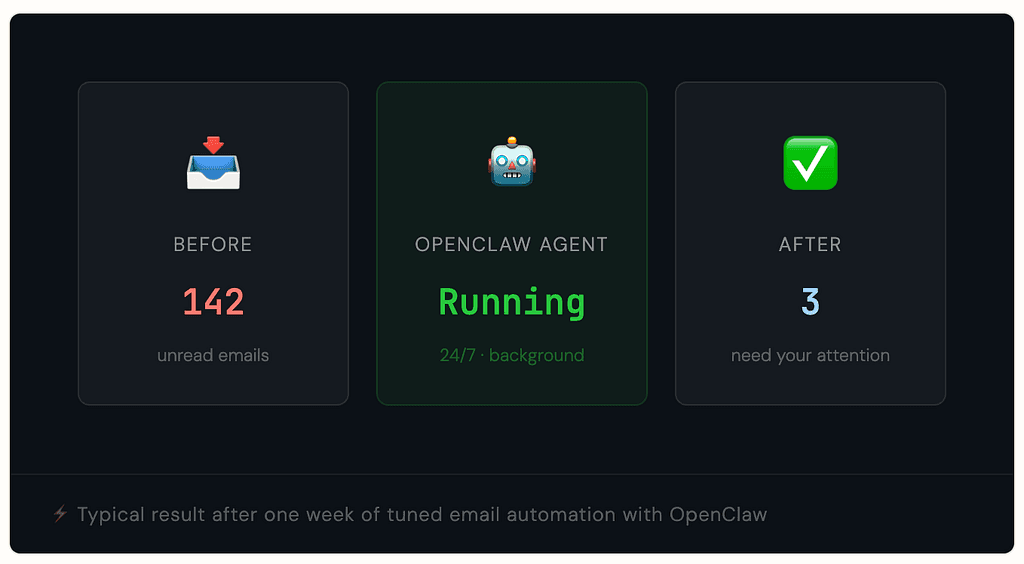
Your inbox is a full-time job. Sorting, labeling, drafting, forwarding, following up — none of it is the work you actually care about. OpenClaw is an open-source AI agent that runs quietly in the background and does exactly this, around the clock, connecting large language models like Claude or GPT-4 to your real email, calendar, and files. This guide walks you through setting up an email-handling agent from scratch.
What Is OpenClaw, Really?
OpenClaw is a free and open-source AI agent created by Austrian developer Peter Steinberger in November 2025. It does not merely generate text — it autonomously executes multi-step tasks: reads emails, runs code, opens browsers, and interacts with external services without you being involved.
OpenClaw is not a language model itself. It is an infrastructure layer — an agent wrapper that connects to any LLM you choose: Claude, GPT, DeepSeek, Gemini, or local models via Ollama. You run it locally, and it accepts commands via Telegram, iMessage, Slack, Discord, or the terminal.
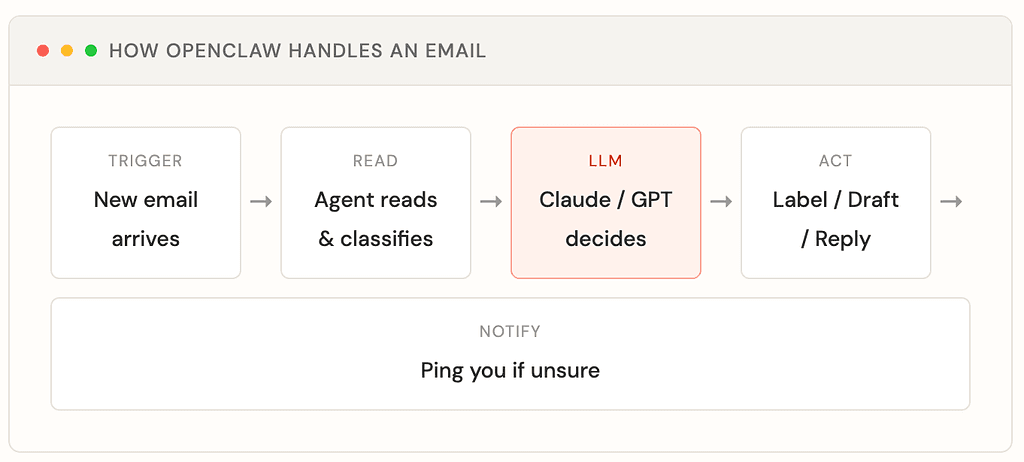
What Your Email Agent Will Do
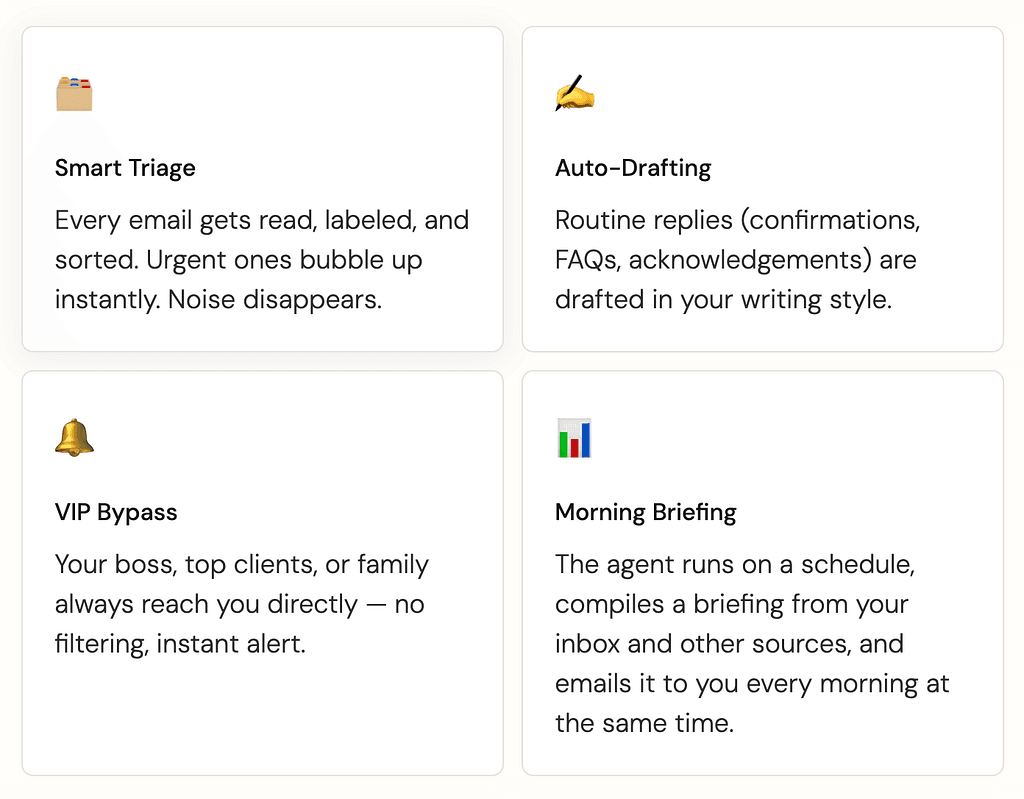
Email automation with AI agents involves three core capabilities: triage (classifying every incoming message as urgent, routine, informational, or spam), drafting (writing responses for pattern-based emails in your tone), and flagging (sending you uncertain emails with a brief explaining what they’re about).
Step 1 — Install OpenClaw
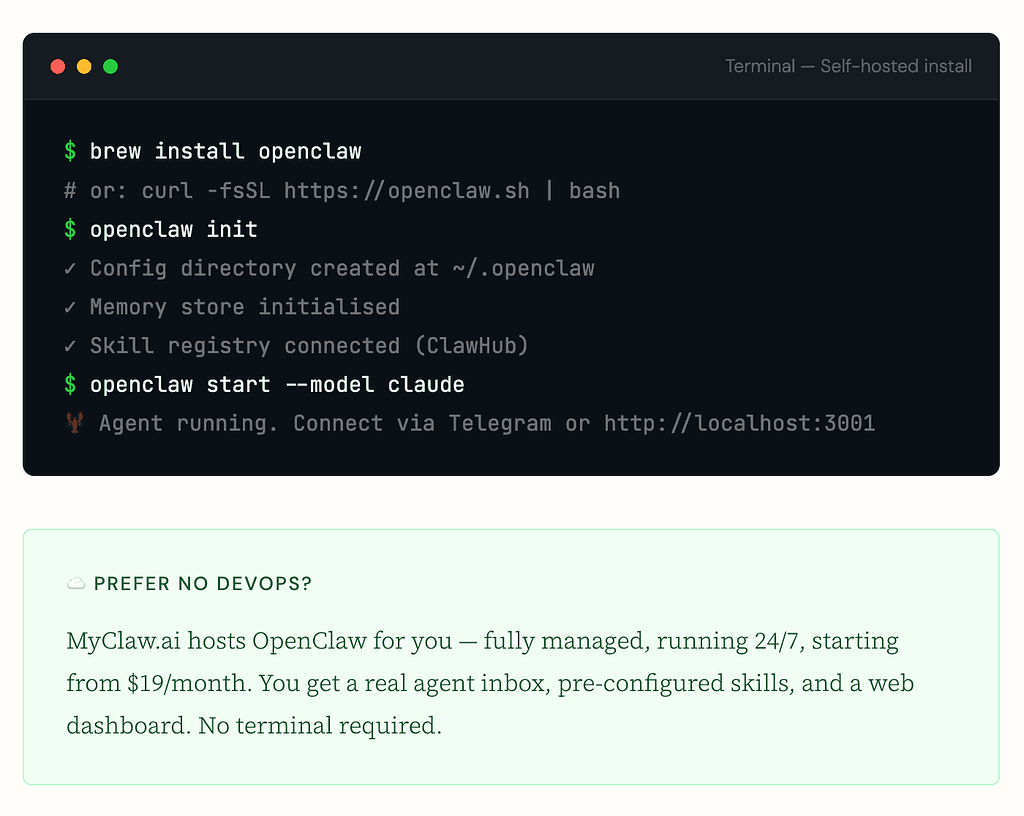
You can run OpenClaw on your own machine (Mac, Linux, or Windows with WSL) or deploy it to a cloud server. For a zero-setup option, MyClaw.ai gives you a managed hosted instance that starts in under 5 minutes.
Step 2 — Pick Your Email Provider
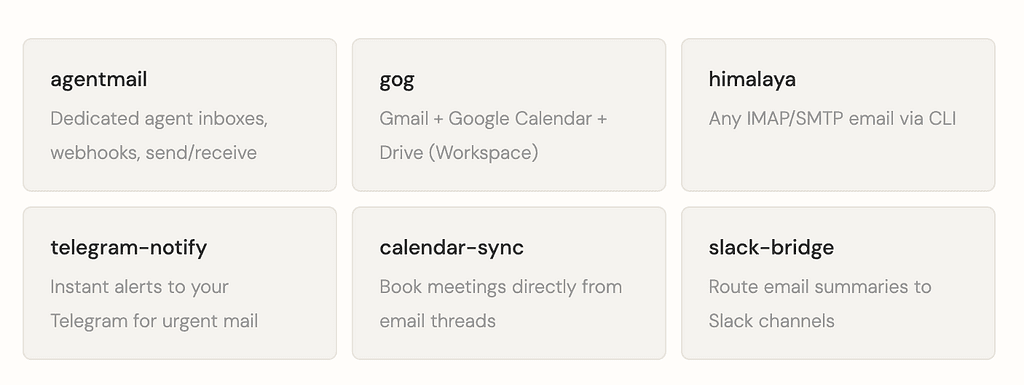
Most OpenClaw users start with Gmail because it’s already there. The main skills on ClawHub are Himalaya (a CLI client over IMAP/SMTP) and Gog (the full Google Workspace skill covering Gmail, Calendar, and Drive). In practice, Gmail’s OAuth2 requires a Google Cloud Console project, redirect URIs, and a browser-based flow — which breaks for headless agents.
For production email automation, a purpose-built agent mail provider (like AgentMail) is much simpler. Each agent gets its own isolated inbox with no exposure of your personal email.
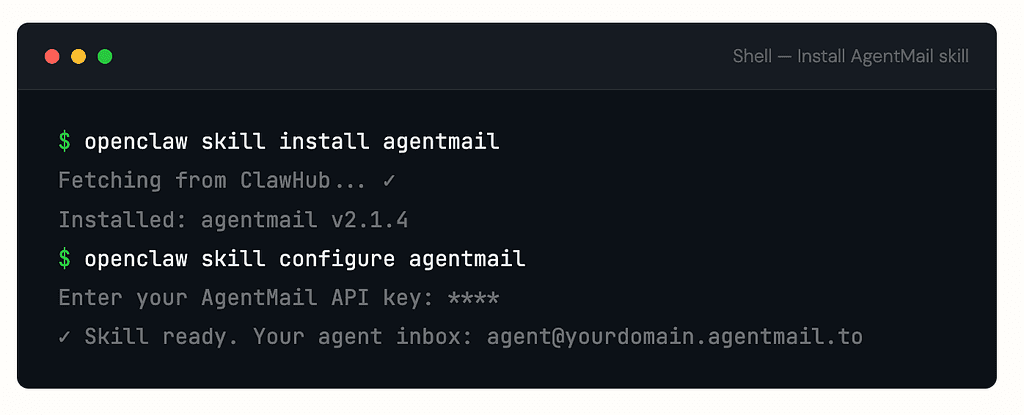
Step 3 — Write Your Email Skill (SKILL.md)
OpenClaw uses a plugin system called “skills.” Skills are directories containing a SKILL.md file with instructions for the agent. The runtime selectively injects only the skills relevant to the current request, keeping context lean. Here's a custom email triage skill:
# Email Triage Skill

## When to use this skill
When the user says "check email", "handle my inbox",
or a new email webhook fires.

## Instructions
You are an email assistant. For every new email:

1. Read the sender, subject, and body.
2. Classify into one of:
   - URGENT: needs reply within 1 hour
   - ROUTINE: reply needed today
   - INFO: no reply needed, archive
   - SPAM: delete immediately

3. For URGENT and VIP senders, send a Telegram
   notification with a 2-sentence summary.

4. For ROUTINE, draft a reply in the user's tone.
   Do NOT send — create a draft only.

5. For INFO, apply label "reading" and archive.

## VIP senders (always flag immediately)
boss@company.com, spouse@email.com, cto@company.com

## Tone guidance
Professional but warm. Short sentences. No filler.
Never start a reply with "I hope this email finds you well."
Step 4 — Set Up the Webhook Trigger
For real-time processing, configure a webhook so your agent fires the moment a new email lands — not just on a polling schedule.
import { AgentMailClient } from "agentmail";

const client = new AgentMailClient({
  apiKey: process.env.AGENTMAIL_API_KEY,
});

// Create a dedicated inbox for your agent
const inbox = await client.inboxes.create({
  username: "support-agent",
  displayName: "Support AI",
});

// Register a webhook — fires on every new email
await client.webhooks.create({
  inboxId: inbox.id,
  url: `https://your-openclaw.example.com/webhook/email`,
  events: ["email.received"],
});

console.log(`Agent inbox ready: ${inbox.emailAddress}`);
// → support-agent@yourdomain.agentmail.to
On your OpenClaw server, create the matching webhook handler so incoming payloads trigger your triage skill automatically:
import express from "express";
import { OpenClawClient } from "@openclaw/sdk";

const app = express();
const agent = new OpenClawClient({ host: "localhost:3001" });

app.post("/webhook/email", async (req, res) => {
  const { from, subject, body } = req.body;

  // Send email context to the agent, invoke triage skill
  await agent.message({
    skill: "email-triage",
    prompt: `New email from ${from}
Subject: ${subject}
Body: ${body}

Triage this email and take appropriate action.`,
  });

  res.json({ ok: true });
});

app.listen(4000);
Step 5 — See It in Action
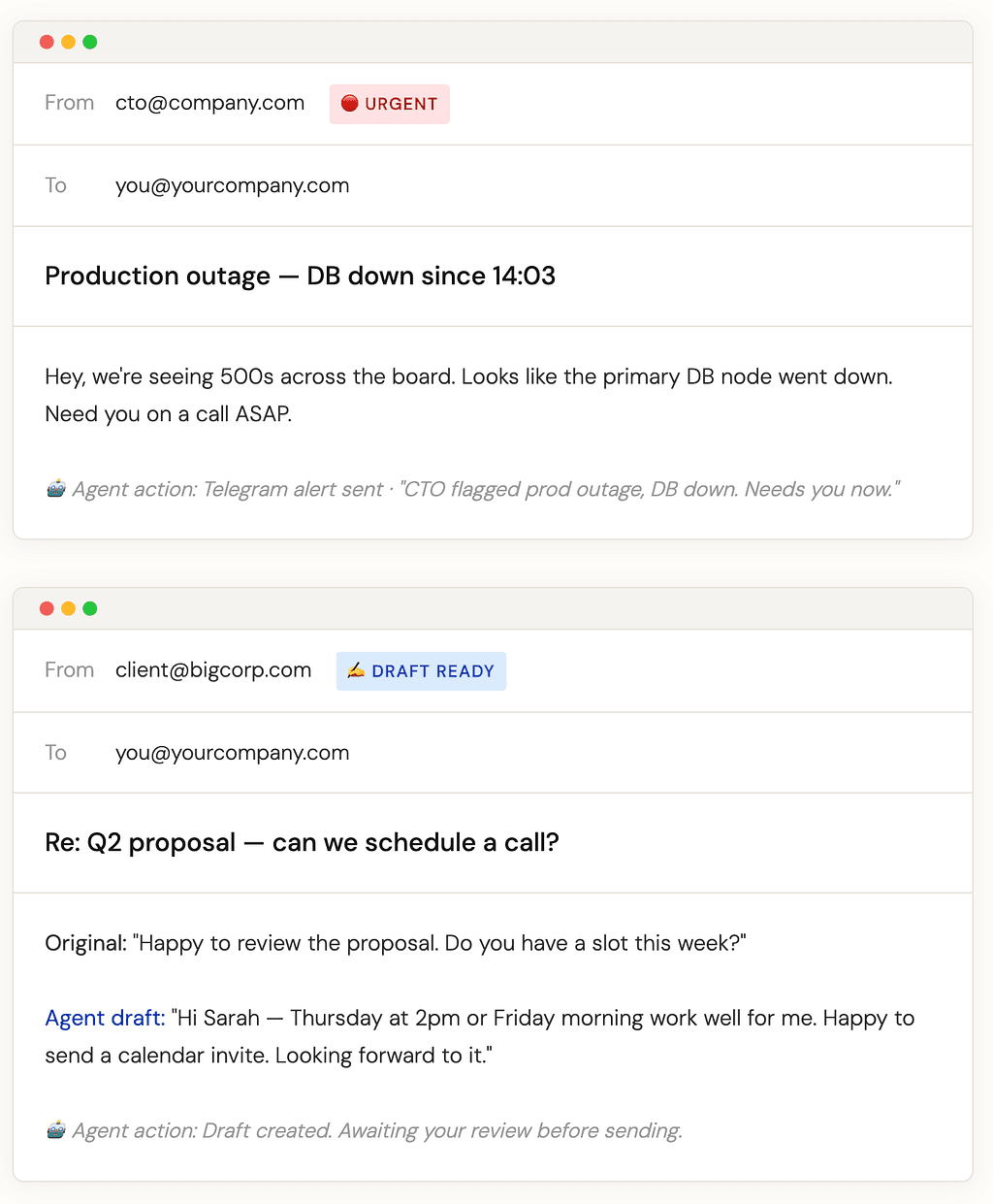
Once running, here’s what your inbox looks like after the agent processes it:
Tuning Your Agent Over Time
Start with triage only — don’t try to automate everything at once. Let the agent categorize your email for a week, review the results, correct mistakes, then add drafting once you trust it. Review every draft for the first two weeks. The agent needs to learn your style.
Week 1: Triage only
- Let the agent label and sort. Don’t let it draft or send anything yet. Review every classification and refine the SKILL.md instructions.
Week 2–3: Add drafting
- Enable draft creation for routine email types. Review every draft before sending. Correct tone and adjust instructions based on what doesn’t sound like you.
Week 4+: Selective auto-send
- For high-confidence template emails (appointment confirmations, FAQ answers), allow auto-send. Keep complex or sensitive messages in review mode.
Ongoing: Add edge case rules
- You’ll discover email types the agent doesn’t handle well. Add specific instructions for each one as you encounter them. Coverage improves dramatically over a few weeks.
Available Email Skills on ClawHub
The public registry ClawHub contains over 13,000 community-built skills. An additional 53 skills ship bundled with OpenClaw as first-party plugins. Here are the most relevant for email workflows:
OpenClaw is moving fast — the ecosystem of skills, integrations, and hosted platforms like MyClaw is expanding weekly. The best time to start is now, with a small, safe scope: triage only, a separate inbox, one week of review. From there, the automation compounds.
If you’re not ready to self-host, MyClaw.ai handles the entire setup for you — deploy, configure, and connect your email, typically running within 48 hours.